How to merge, compress and password-protect PDFs offline (Mac, Windows, Linux)
Merge PDFs, shrink them, rotate pages, add a watermark or a password — without uploading your documents to a website.
Free · no account · 3 free uses of every tool · also for Mac (Intel), Windows, Linux
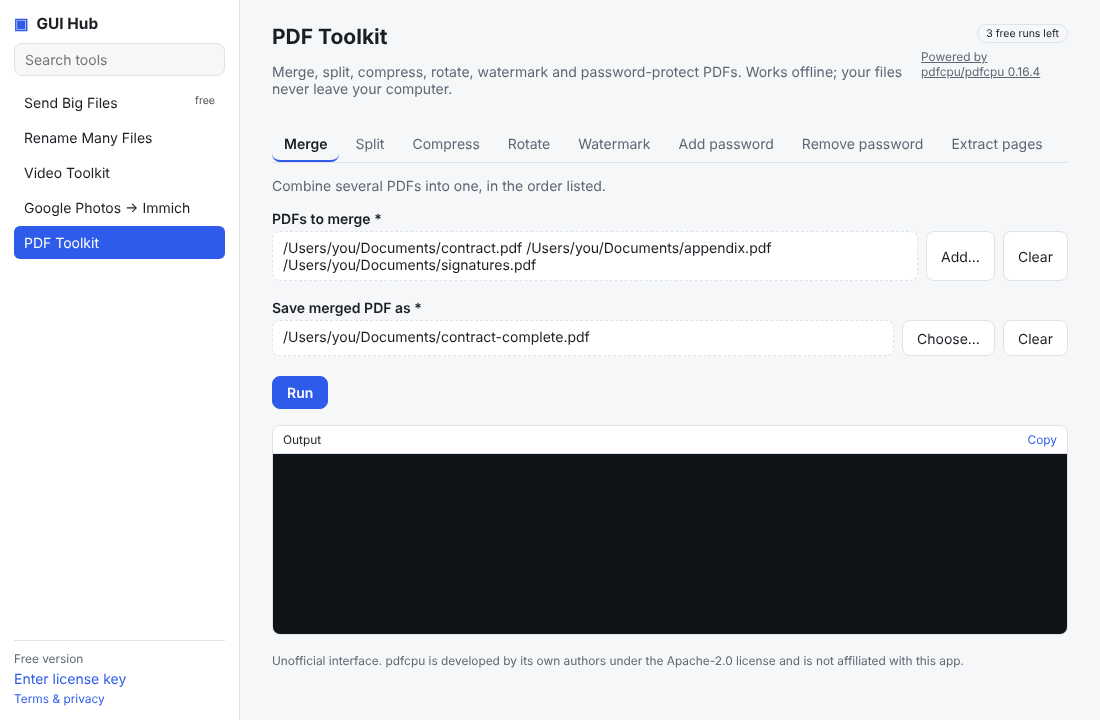
Most free “PDF tools” are websites: you upload your contract, payslip or medical letter to someone else’s server, wait, and download it again. For private documents that is a bad trade. These steps do the same jobs on your own computer.
Merge several PDFs into one
- Open GUI Hub and choose PDF Toolkit.
- On the Merge tab, click Add… and pick the PDFs in the order you want them (you can also drag them in).
- Choose where to save the merged file and press Run.
Make a PDF smaller
Use the Compress tab. It removes duplicate fonts, images and unused data while keeping text and images at the same quality, which is ideal before emailing a scan or uploading to a portal with a size limit.
Add or remove a password
The Add password tab encrypts the file with AES-256: anyone opening it needs the password. Remove password creates an unlocked copy of a PDF you already have the password for.
Rotate, split, extract and watermark
Rotate sideways scans, split a long PDF into single pages or chapters, pull out just the pages you need, or stamp DRAFT / CONFIDENTIAL across every page — each is one tab with a short form.
What powers it
The work is done by pdfcpu, a respected open-source PDF engine (Apache-2.0). GUI Hub downloads it from its official release page and verifies its checksum.
Try it now
Free download — use it 3 times free. $9 once unlocks everything. Prefer to ask your AI? GUI Hub also works as an MCP server for Claude, Cursor and others.