How to make a polished PDF from text with Claude or ChatGPT — no Word, no upload
Invoices, letters, reports and CVs as beautifully typeset PDFs, written by your AI and made on your computer with Typst.
Free · no account · 3 free uses of every tool · also for Mac (Intel), Windows, Linux
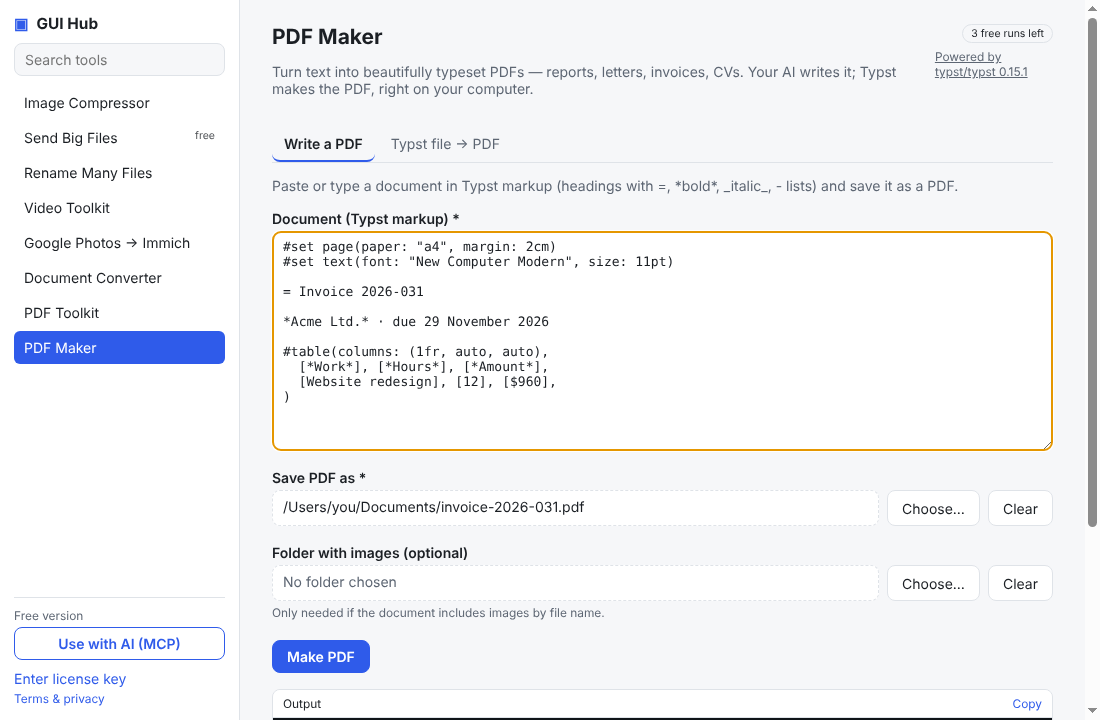
Getting a good-looking PDF out of an AI chat usually means pasting into Word, fixing the layout and exporting. Typst is a modern open-source typesetting engine — think LaTeX quality, but fast and readable — and GUI Hub lets your assistant use it directly.
With Claude Desktop or Cursor
- Install GUI Hub and click Use with AI once.
- Ask: “Write my March invoice to Acme as a PDF: 12 hours at $80, due in 14 days.” or “Make my CV a one-page PDF.”
The assistant writes the document in Typst markup and calls typst_write; the PDF appears where you asked, usually in under a second.
Without AI
Open PDF Maker → Write a PDF. Type = Title for a heading, *bold*, _italic_ and - item for lists, then press Make PDF. ChatGPT or any other chatbot can write the markup for you: ask it for “Typst markup”. If you already have a .typ file, use Typst file → PDF.
Why not just “print to PDF”?
Typst handles real typography — page numbers, tables that break across pages, footnotes, consistent fonts — and the same input always gives the same PDF, so you can tweak the text and regenerate it instantly.
What powers it
Typst (Apache-2.0). GUI Hub downloads the official release and verifies it before first use. Its built-in fonts work offline.
Try it now
Free download — use it 3 times free. $9 once unlocks everything. Prefer to ask your AI? GUI Hub also works as an MCP server for Claude, Cursor and others.