GUI Hub products / Data
GUI Hub Data
Open, convert, combine and analyse CSV, Excel, Parquet and JSON files — for you and your AI.
1 open-source engine5 AI tools3 free uses of each
Open, convert, combine and analyse CSV, Excel, Parquet and JSON files — for you and your AI.
Open, convert, combine, de-duplicate and query CSV & Excel
“Which region sold the most in sales-2025.xlsx?”Powered by DuckDB · Details
| AI tool | What it does |
|---|---|
| duckdb_summarize | Inspect a local data file (CSV/TSV, Excel .xlsx, Parquet, JSON) without loading it into the chat: returns the first rows and per-column statistics (type, nulls, min, max, distinct count) as Markdown tables. Use this before writing a query. |
| duckdb_convert | Convert a local data file between CSV, Excel (.xlsx), Parquet and JSON. Writes a new file; the original is not changed. |
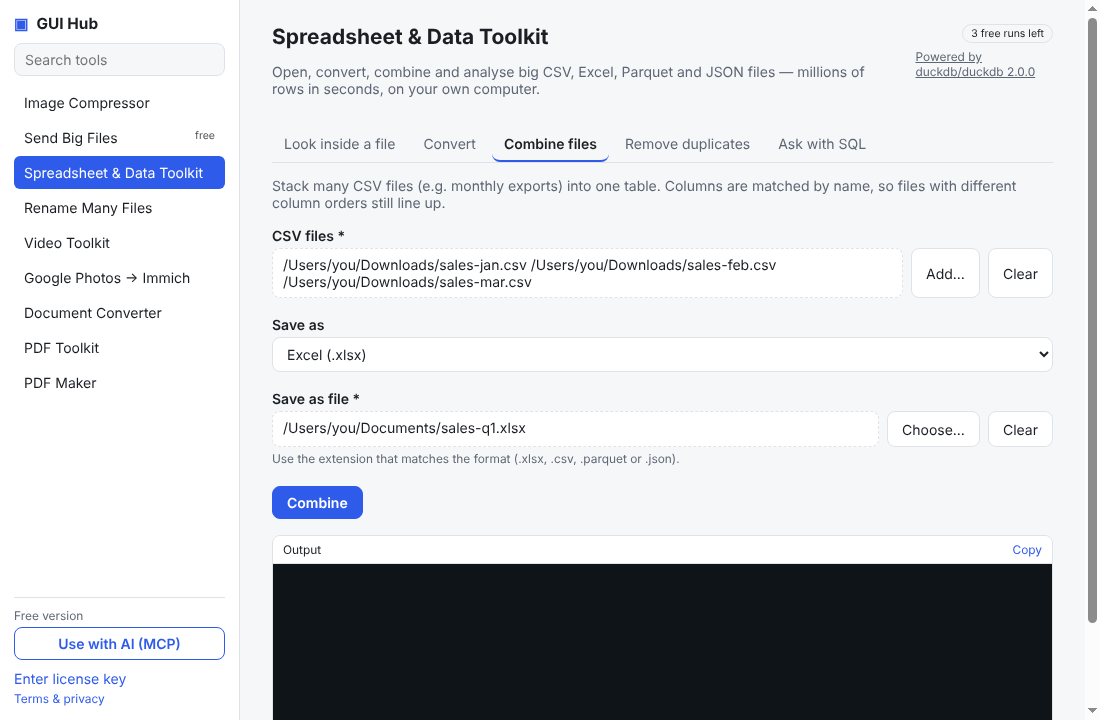
| duckdb_combine | Combine several local CSV files into one file (rows stacked, columns matched by name; missing columns become empty). Output format CSV, Excel, Parquet or JSON. |
| duckdb_dedupe | Write a copy of a local data file with exact duplicate rows removed (CSV, Excel, Parquet or JSON in; chosen format out). |
| duckdb_query | Run DuckDB SQL over local data files and get the answer as a Markdown table. Read files by quoted path: SELECT * FROM '/abs/path/file.csv' (also .xlsx, .parquet, .json; globs like '/dir/*.csv'). Use for totals, filters, group-bys, joins across files on data too big to paste into chat. Results are capped by the row limit; to save results use COPY (query) TO '/abs/out.xlsx' (FORMAT xlsx, HEADER true). |
One install includes every GUI Hub product; each has 3 free uses per tool. Want your AI to see only Data? Use npx -y github:MuttyRab/MuttyRab.github.io --product=data.
Download the one-file extension, double-click it, press Install. Done — ask Claude for a file job.
Download gui-hub.mcpbAdd an MCP server with this command (needs Node.js 18+):
npx -y github:MuttyRab/MuttyRab.github.io
Claude Code:
claude mcp add gui-hub -- npx -y github:MuttyRab/MuttyRab.github.io
Point-and-click forms for every tool, plus a Use with AI button that connects Claude Desktop or Cursor for you.
Download for WindowsNew independent apps get this one-time caution. The full source is public on GitHub.
$9 once unlocks GUI Hub Data — or get every product with GUI Hub All-Access for $19.
Every tool works 3 times free first. Secure checkout by Polar; your license key arrives by email — paste it into the app, or just give it to your AI. 30-day refunds.